
SHAREABLE LINKS
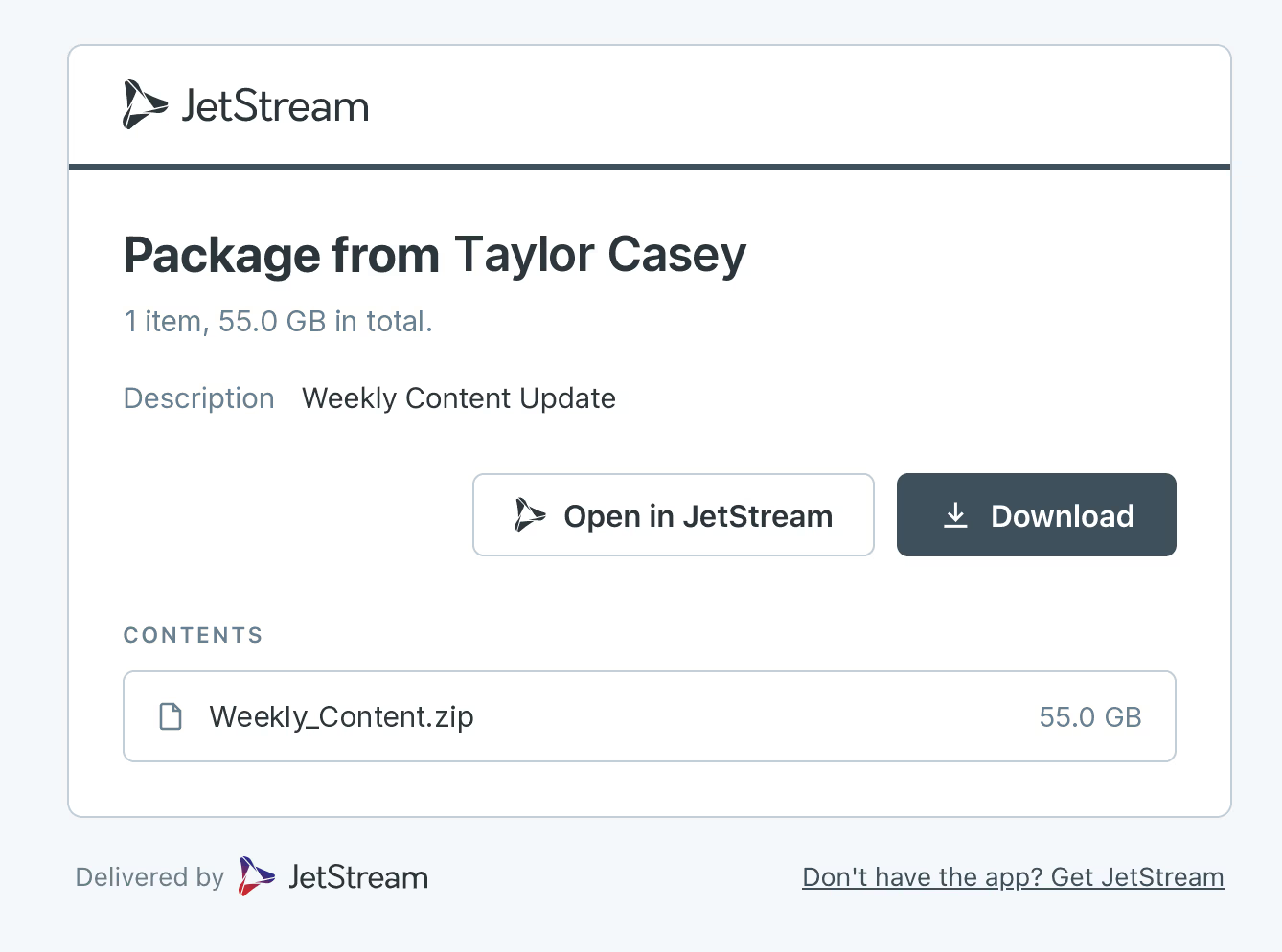
How a shareable link works
STEP 1
STEP 2
STEP 3
What a JetStream shareable link does
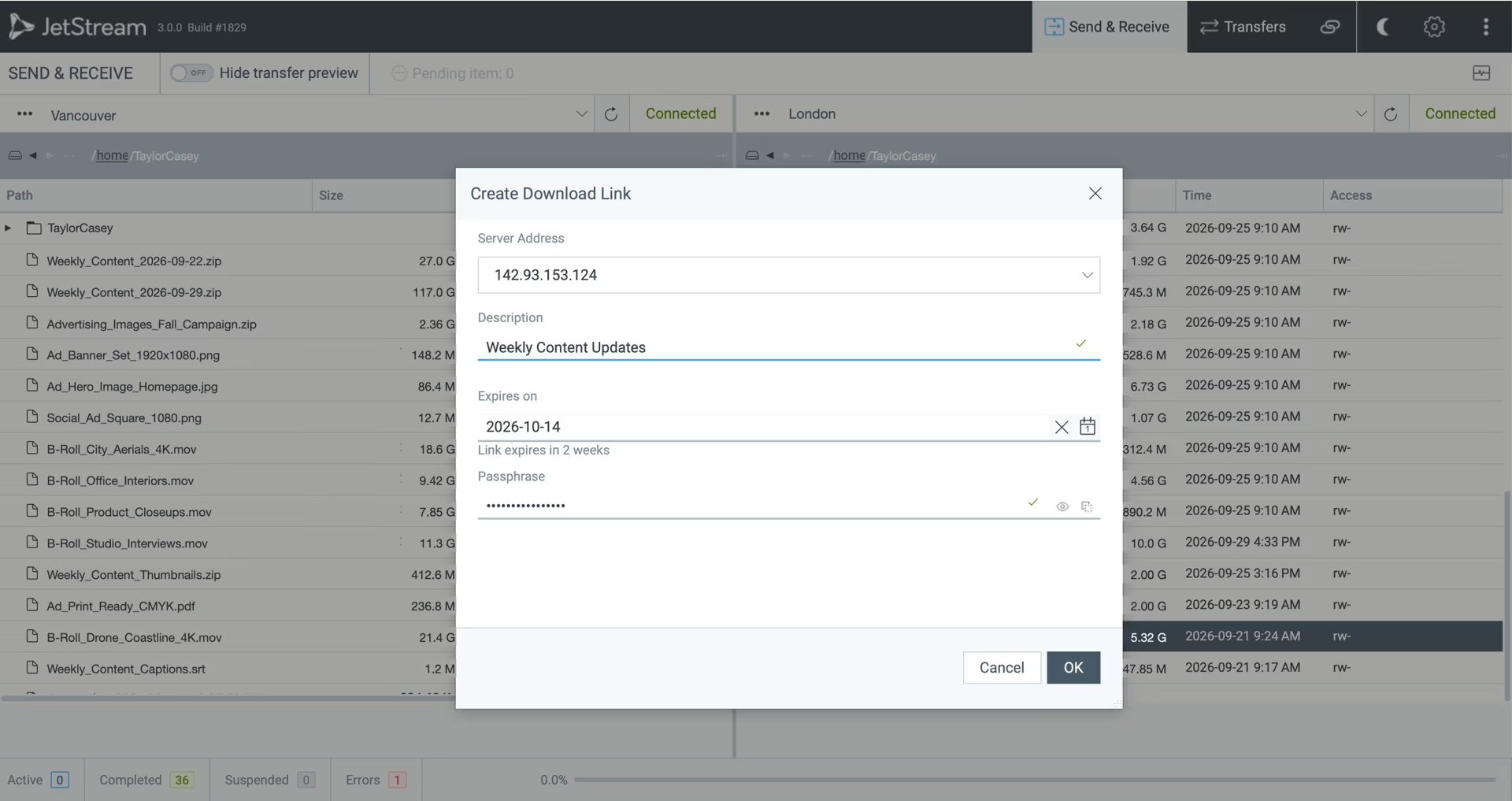
Recipients no longer need the JetStream desktop application. Send them a link and they download in the browser: clients, partners, freelancers, anyone you can email. You set a password and an expiry date, and you decide how the link travels.
What your recipient sees
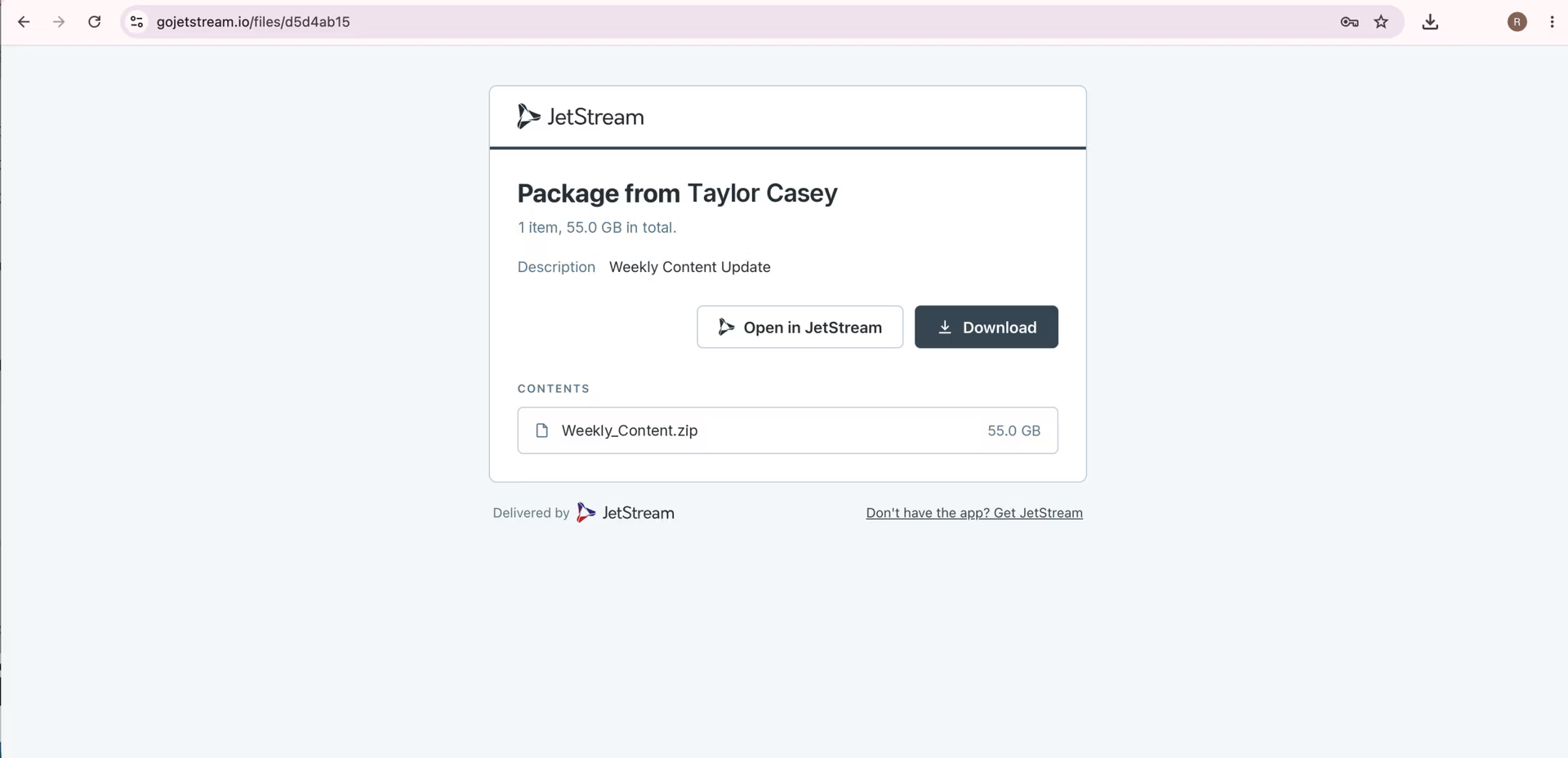
A browser page with the file name, the size, and a download button. If you set a password, they're asked for it first. That's the whole experience.
There's no account to create, no application to install, no email verification loop, and nothing to explain on a phone call before a delivery can happen. For the client who has never heard of JetStream and does not want to, that matters more than any transfer speed.
Control over every link
Password per link
Set at creation, not inherited from a global setting.
Expiry date per link
The link stops working on the date you choose. A delivery window closes on its own rather than depending on someone remembering to revoke it.
Directory-based access
Who can create links is governed by your existing directory — PAM, Active Directory, or LDAP — not a separate user list to maintain.
Scoped to a directory
Users can be sandboxed to specific paths, so someone can only create links to material they should be able to reach.
File type exclusion
Block file types from transferring at the server, regardless of who creates the link
Served from your server, not ours
Most download links belong to somebody else. The file is uploaded to a vendor's cloud, held there while your recipient collects it, and deleted on a schedule you have to take on trust.
JetStream's links are created and served by an on-premise server that runs on your own infrastructure. The file never leaves your network to reach your recipient. There's no third-party service in the middle, no question about which jurisdiction the file passed through, and no retention clock you don't control.
For anyone working under an NDA, an embargo, or a contract that specifies where client material may sit, that is usually the deciding factor rather than a feature.
Where teams use this
How do I create a shareable link in JetStream?
Select a file or folder in the JetStream desktop application and generate a link. Set a password and an expiry date at the point of creation. The link is issued by your own JetStream server and can be sent by email or any channel you already use.
Does the recipient need to install anything?
No. Recipients download in a standard browser – no software, no account, and no sign-up. This is what separates a shareable link from a JetStream-to-JetStream transfer, where both ends run the application.
Where are the files stored?
On your own infrastructure. The link-serving component is an on-premise server that runs on hardware or cloud you control, so no file passes through a third-party service and no data leaves your network.
Can a shareable link be password-protected or set to expire?
Yes. Both are set when you create the link. Password protection and an expiry date are configured per link rather than as a global policy.
Is there a size limit on what I can send as a link?
No. There's no maximum file size and no cap on transfer volume. Folders transfer with their structure intact and don't need to be zipped first.
Who in my organization can create links?
Whoever your directory says. JetStream authenticates against PAM, Active Directory, or LDAP, and users can be sandboxed to specific paths – so someone can only create links to material they're already permitted to reach. File types can also be excluded at the server.
What happens when a link expires?
It stops working. The file stays where it is on your storage; only the link is retired. A delivery window closes on its own rather than depending on someone remembering to revoke access.
How is this different from a Dropbox or Google Drive link?
The file never leaves your infrastructure. A consumer sharing link uploads your file to the vendor's cloud and holds it there under their retention policy. A JetStream link is served from a server you run, has no size cap, and carries a password and expiry on every link rather than on paid tiers only.