
MEDIA & ENTERTAINMENT

The footage keeps getting bigger. The schedule doesn't.
An 8K camera negative, a full EXR sequence, a graded master – none of it fits the tools built for documents. Post teams work around that every day: overnight uploads that fail at 90%, couriered drives, consumer services that cap out at 2GB, and a different transfer method for every client who has their own preference.
Meanwhile the work has gone distributed. Editorial in one city, colour in another, VFX split across three time zones and a roster of freelancers who change every project. Every one of them needs access, and most of them will never be your employees.
One transfer layer, on your own infrastructure.
JetStream replaces the FTP server, the courier, and the consumer upload link with a single accelerated transfer service you run yourself. It replaces the first generation acceleration platform, too – the same physics, without the per-seat licence or the procurement cycle.
Data moves point-to-point between your people and your storage over a proprietary transfer protocol, at whatever speed your network allows. Nothing routes through a third-party relay, which matters when the material is under embargo and the NDA is specific about where it can sit.
Cost you can forecast. Control you don't give up.
Unlimited volume, per-server pricing.
No per-gigabyte egress fees and no per-seat licences. A heavy month costs the same as a quiet one, which makes JetStream straightforward to build into a project budget or a rate card.
Your infrastructure, your storage.
On-premise servers, your own cloud account, or S3. Content stays inside the perimeter you already control and already explain to clients.
Encryption by default.
AES-256/GCM at the transfer level, TLS 1.3 on the server connection, with authentication against PAM, Active Directory, or LDAP. Users can be sandboxed to specific directories and file types excluded from transferring entirely.
Built by people who worked in production.
JetStream came out of a 3D conversion studio delivering for Hollywood features and a video game production background, which is why it behaves like a tool made for a facility rather than an IT department.
What is post-production file transfer?
Post-production file transfer moves media between the stages of a production pipeline: camera negative to editorial, plates to VFX, graded masters to distribution. The files are large and often numerous, which is why standard cloud sharing and FTP struggle with them. JetStream moves them over an accelerated file transfer protocol from servers you run yourself.
How do you send large video files to a client?
Two ways, and you choose per delivery.
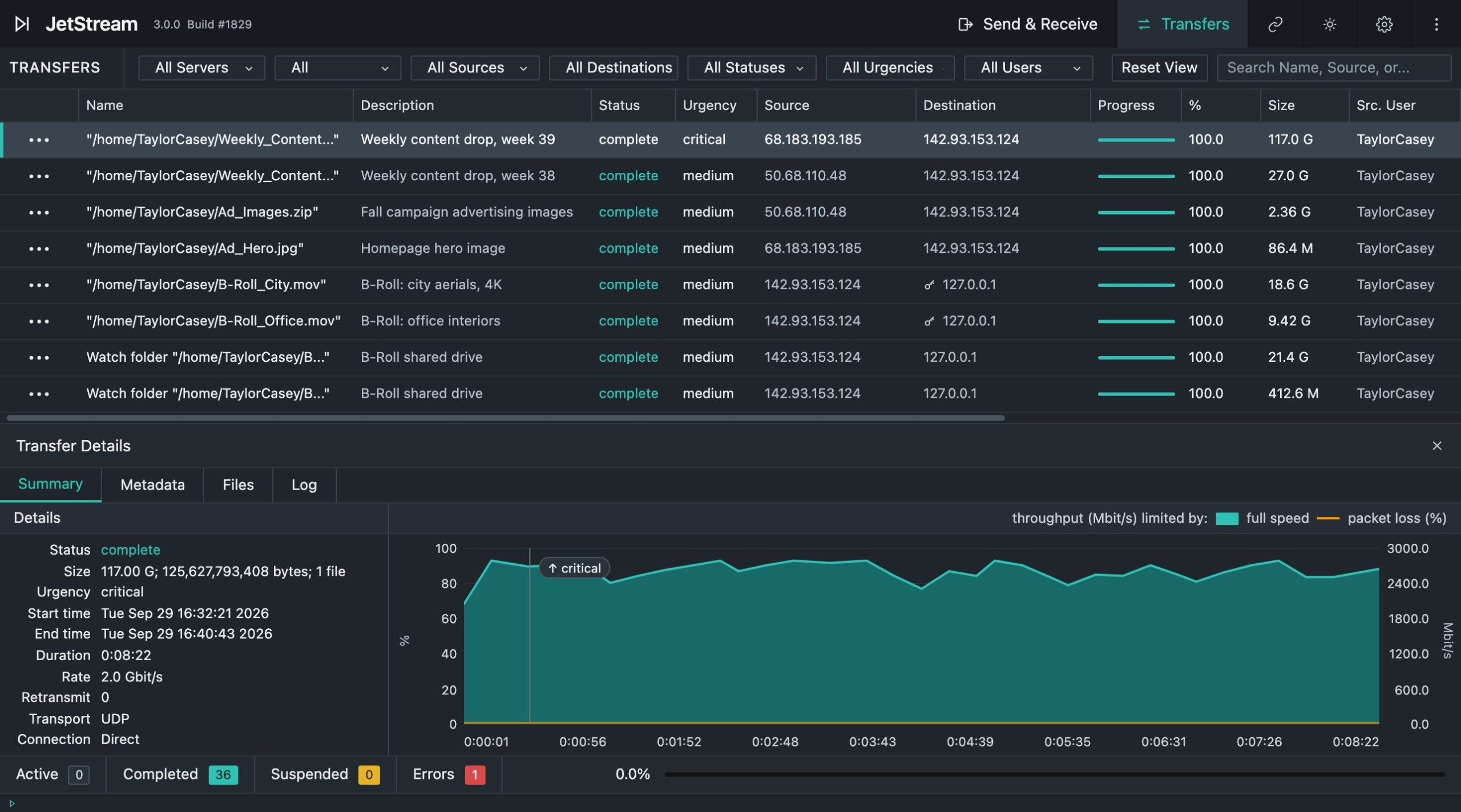
Send a shareable download link and your client opens it in a browser – nothing to install, no account to create. Set a password and an expiry date on the link, and it's served from your own server rather than a public file sharing service. This is the one for anyone outside your facility: agencies, producers, reviewers who will never install transfer software.
Or send directly to the JetStream desktop application, if they already run it. That path uses JetStream's own protocol at both ends, with priority control, folder structure preserved, and transfers that resume where they stopped. It suits the partners who receive work from you every week.
Either way the file moves from your own storage, and neither route puts it on a third-party service.
Does JetStream preserve folder structure for image sequences?
Yes. Watch Folders preserve source folder structure through the transfer, so EXR, DPX, and other frame sequences arrive organized as they left. Folders transfer without zipping.
Can freelancers use JetStream without a license?
Yes. JetStream is licensed per server rather than per seat, and the client application can be distributed to freelancers, partner facilities, and vendors at no extra cost. Adding people to a project has no licensing consequence.
Is content stored in the cloud?
Only if you choose to put it there. JetStream is self-hosted – you deploy the server on your own infrastructure or in your own cloud account, and files move point-to-point without routing through a third-party service.